Employee Performance Evaluation Acknowledgement Process
Last updated: July 1, 2026
Reviewing and Acknowledging a Performance Evaluation
This process walks you through how to review a pending performance evaluation, verify all details, provide your acknowledgement signature, and submit the form for final confirmation.
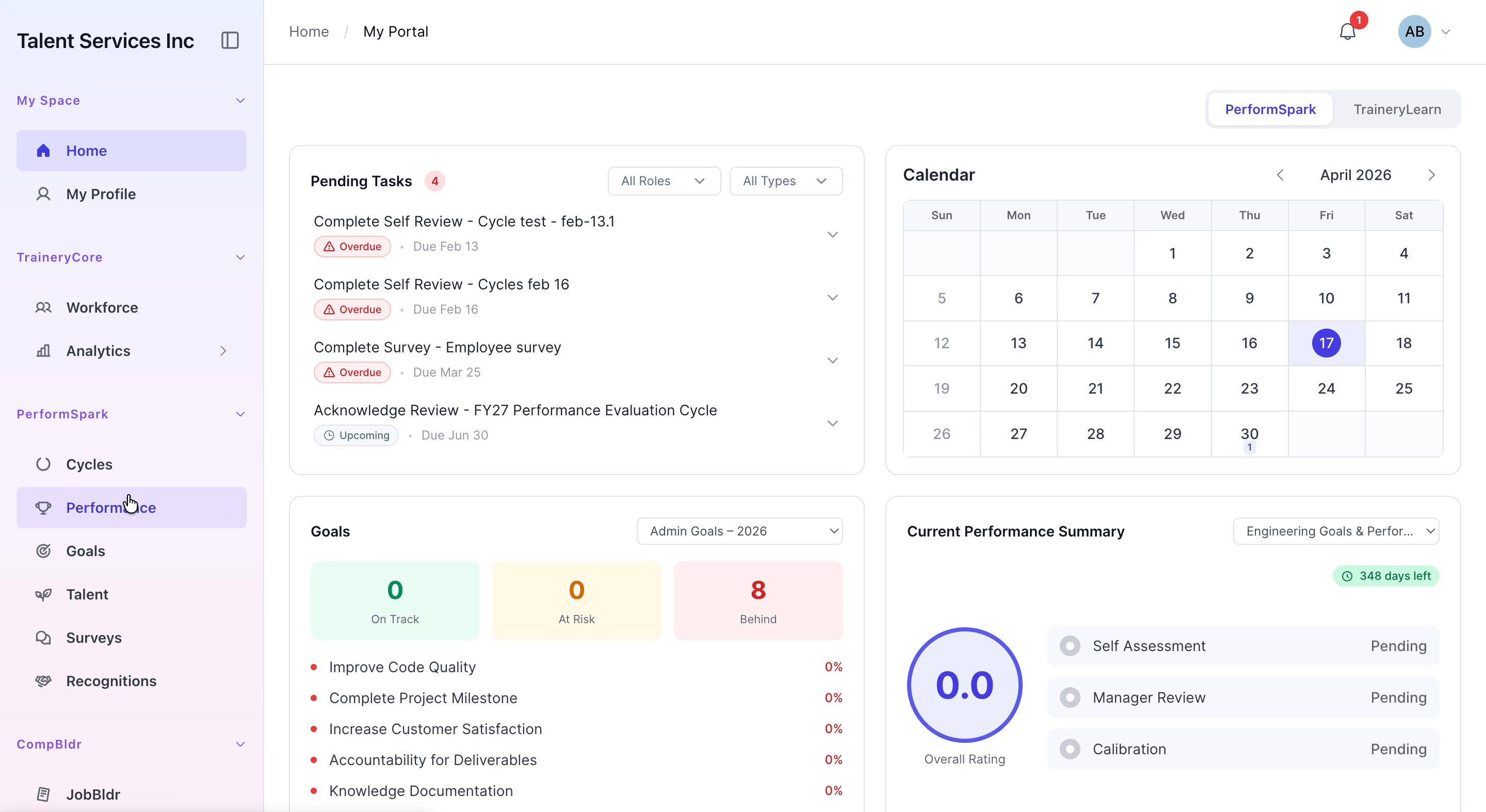
Step 1: Open the Pending Evaluation
Navigate to the Performance section from the sidebar menu, then select the Acknowledgement tab. In the list of pending evaluations, locate the entry for Aaron Blake and click View Details to open the full review.

Step 2: Review Evaluation Details
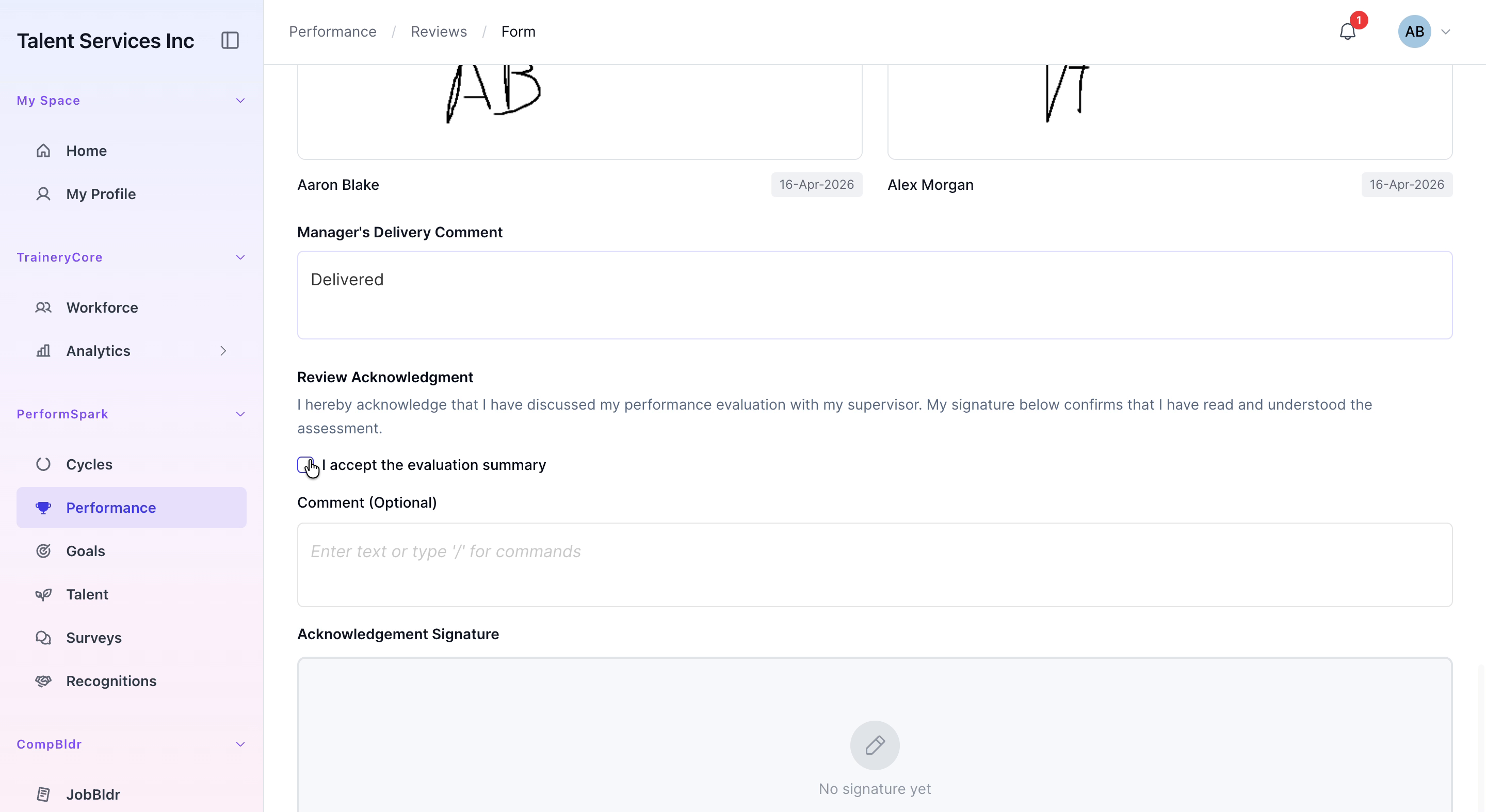
Scroll down through the performance review form and carefully review the employee ratings, competency feedback, and the signatures from both the manager and the employee to ensure everything is accurate and complete.
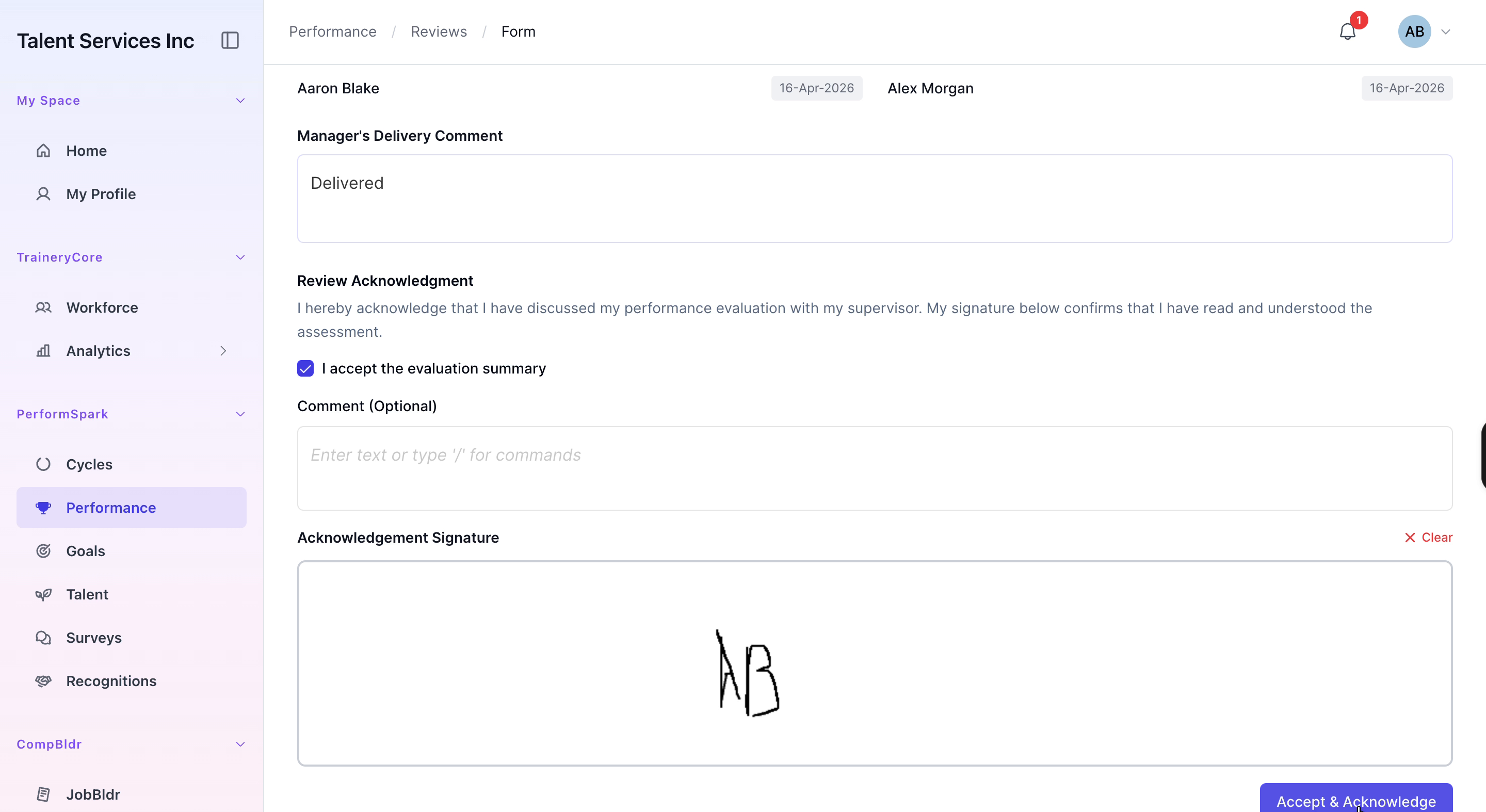
Step 3: Accept and Sign the Evaluation
Check the box to confirm that you accept the evaluation summary. In the acknowledgement field, draw your signature as required. When finished, click the Accept and Acknowledge button to submit the review, then verify that a success confirmation message appears.