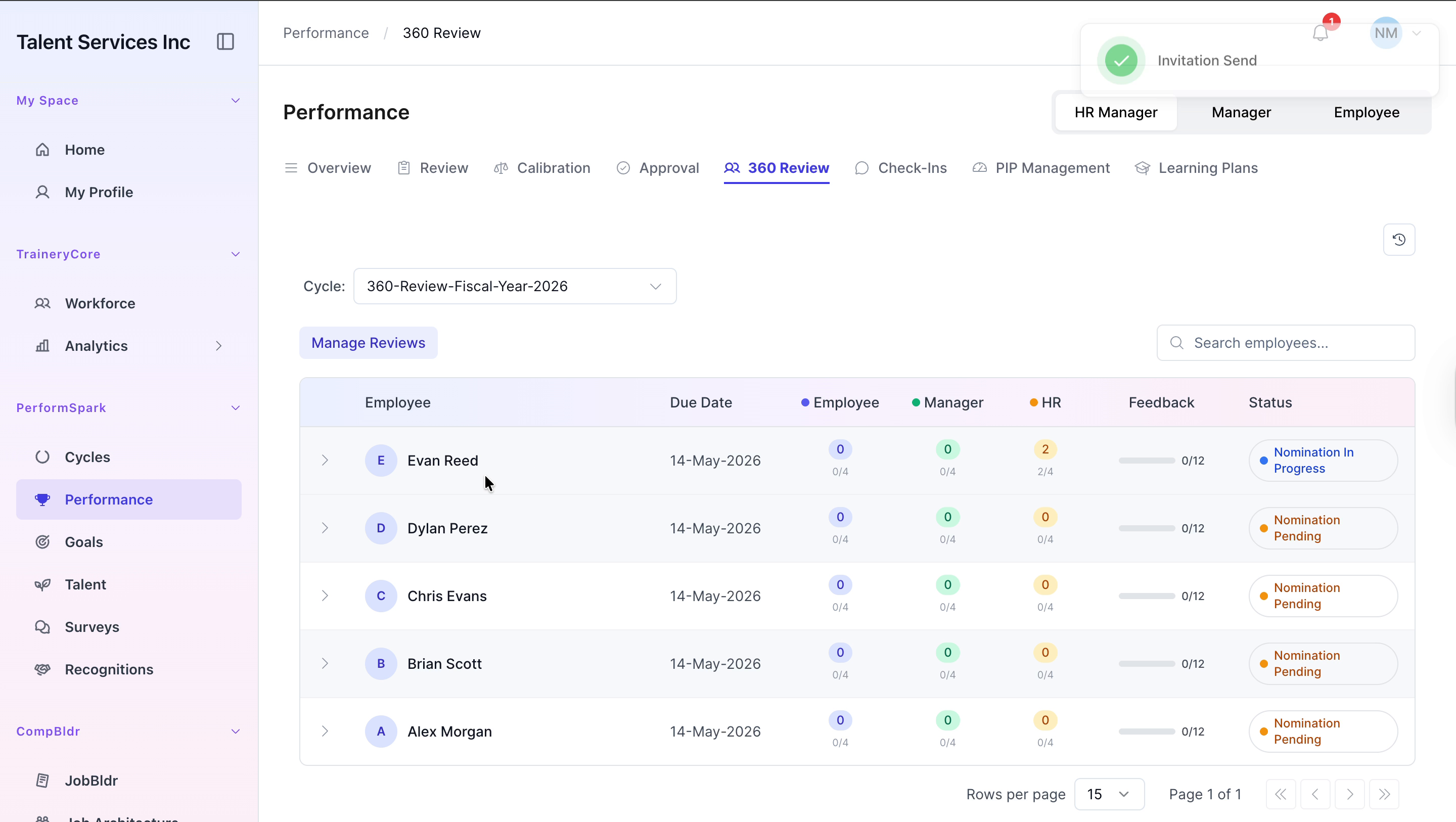
Adding Internal and External Reviewers in 360 Review
Last updated: July 1, 2026
Managing 360 Review Nominations for an Employee
This document describes how to add internal and external reviewers to an employee’s 360 Review, and how to verify that the nominations have been successfully added.
Step 1: Open the 360 Review Section
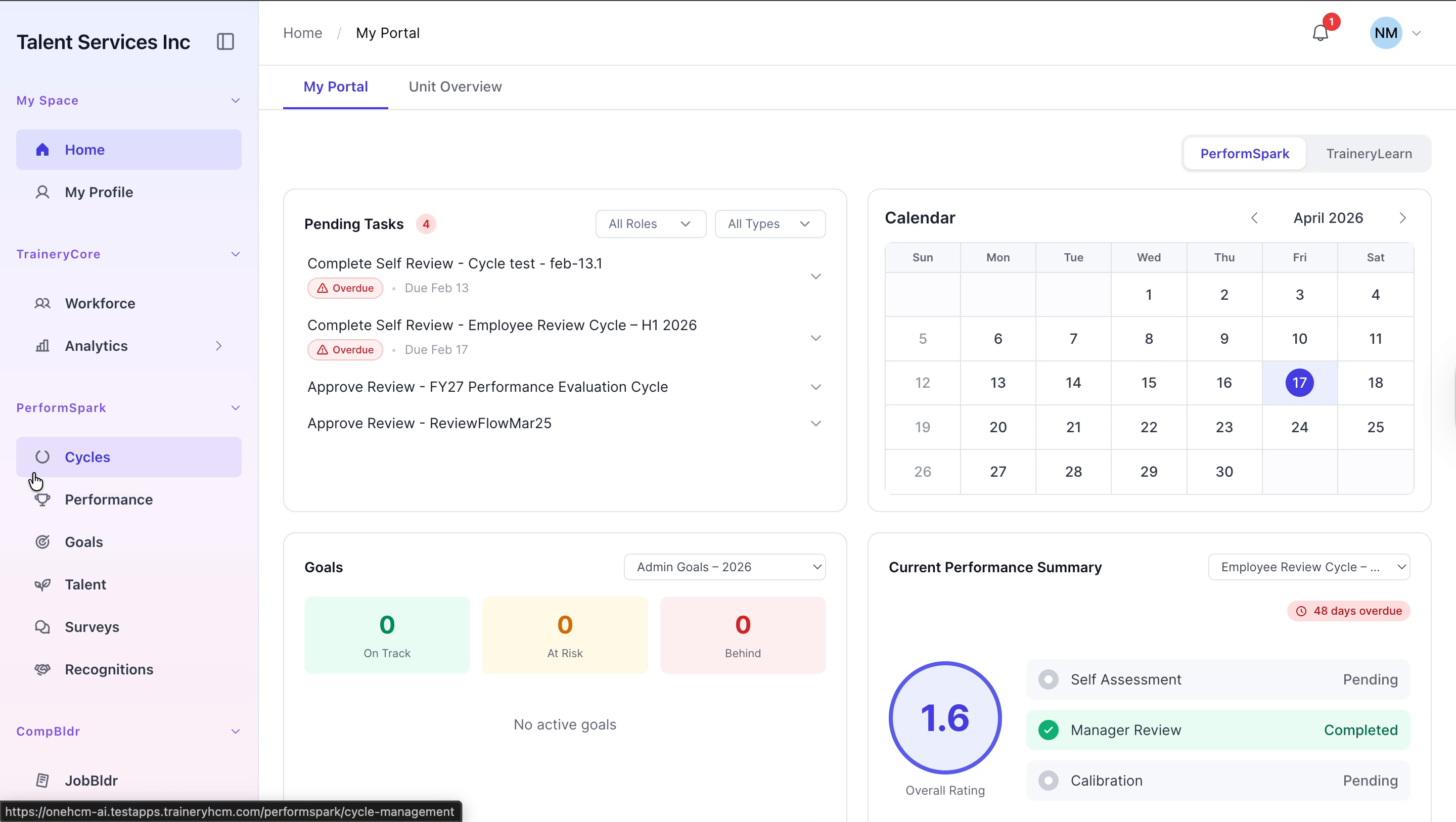
Navigate to the sidebar and click Performance, then select the 360 Review tab to open the 360 review dashboard.

Step 2: Add an Internal Reviewer
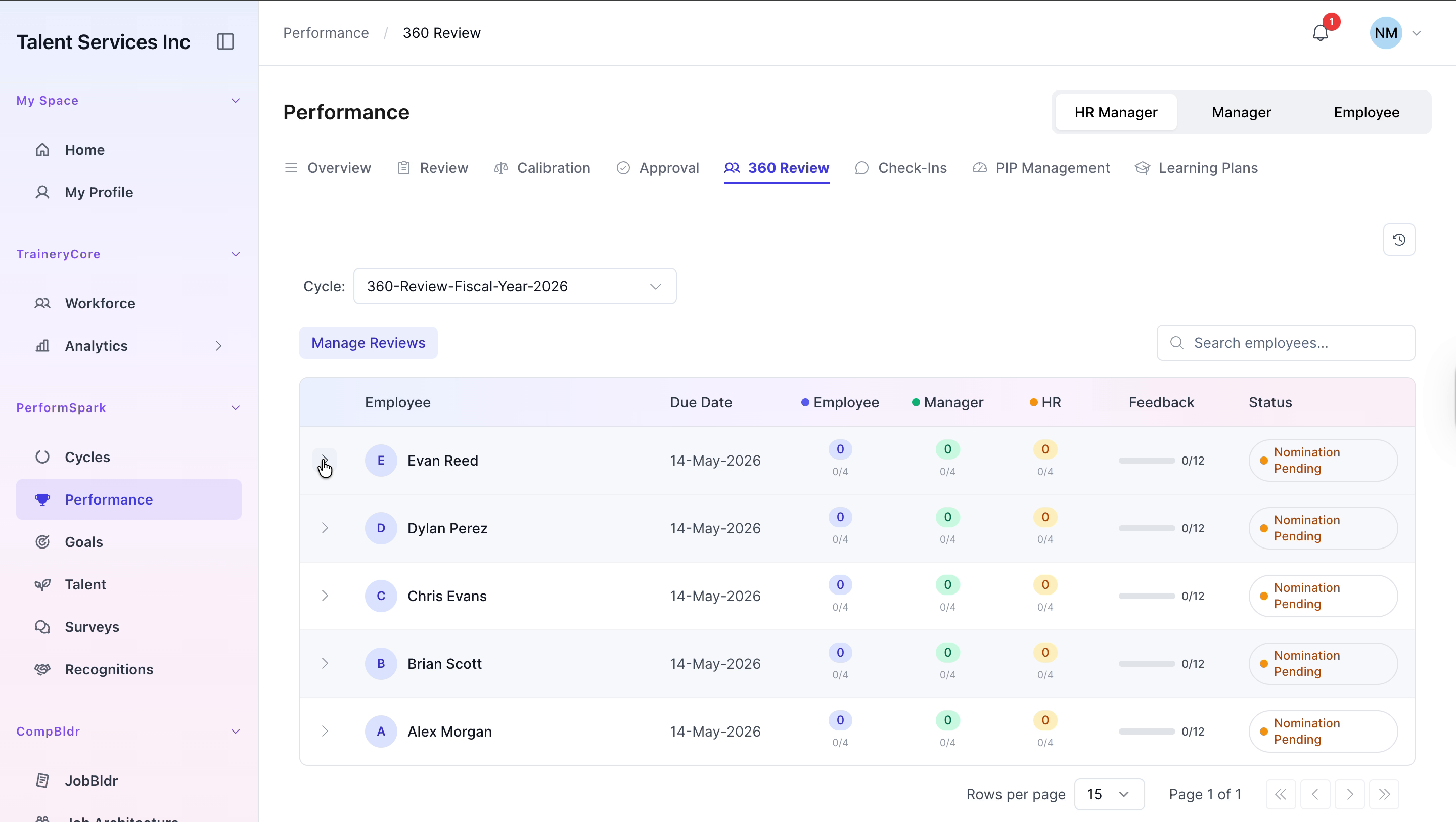
Locate Evan Reed in the list and expand his details. Click Add Internal to open the internal nomination options.
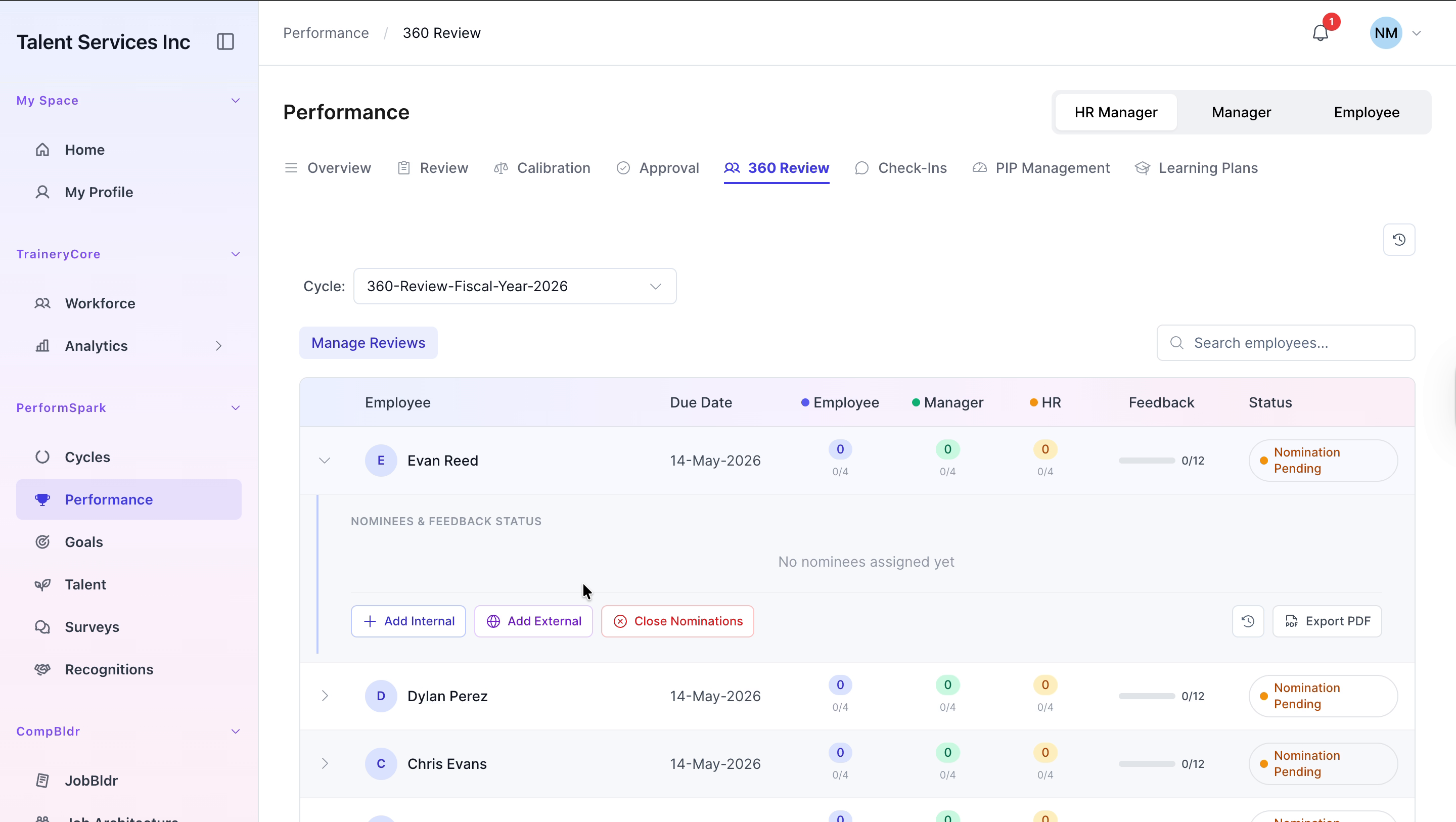
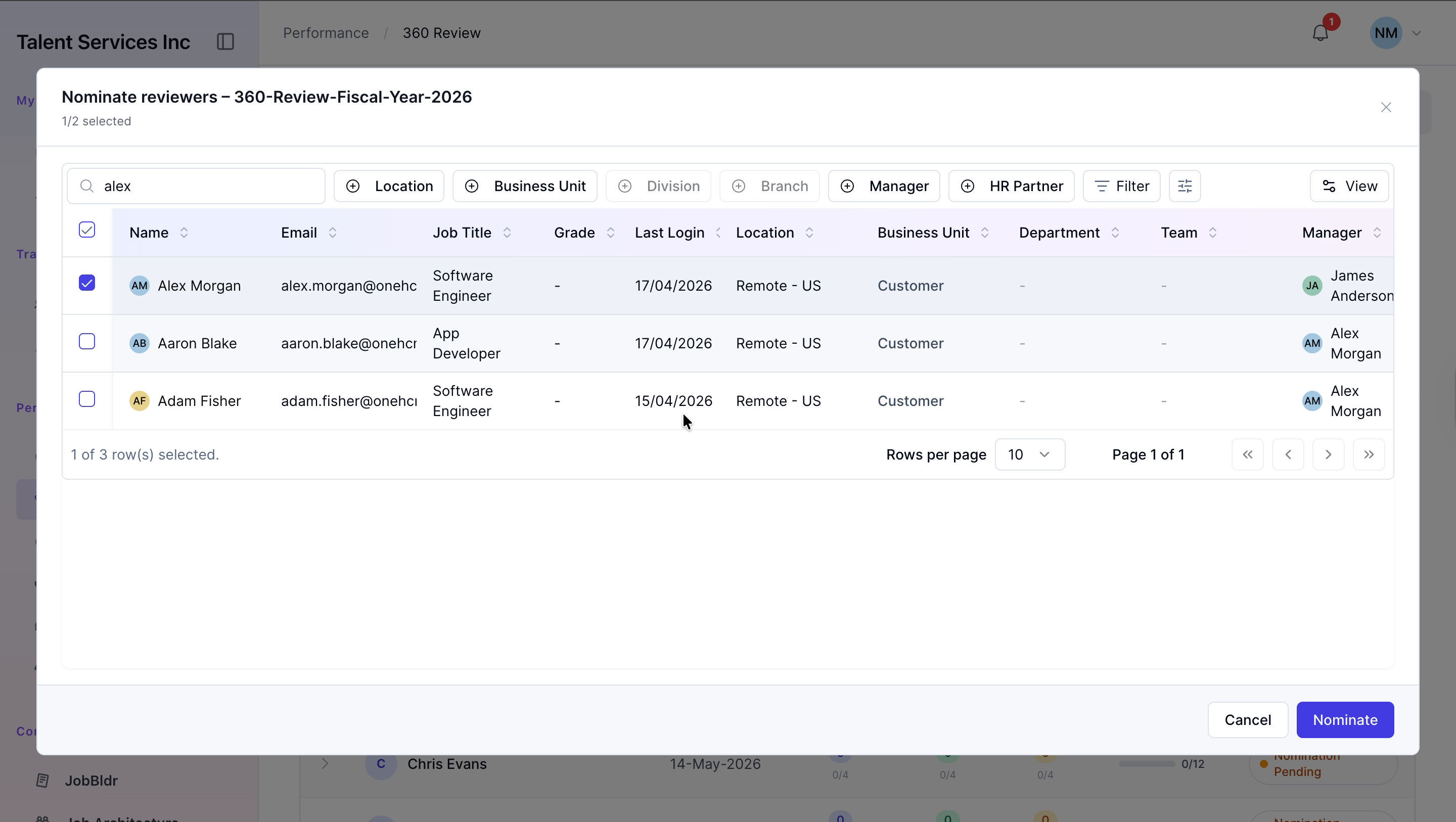
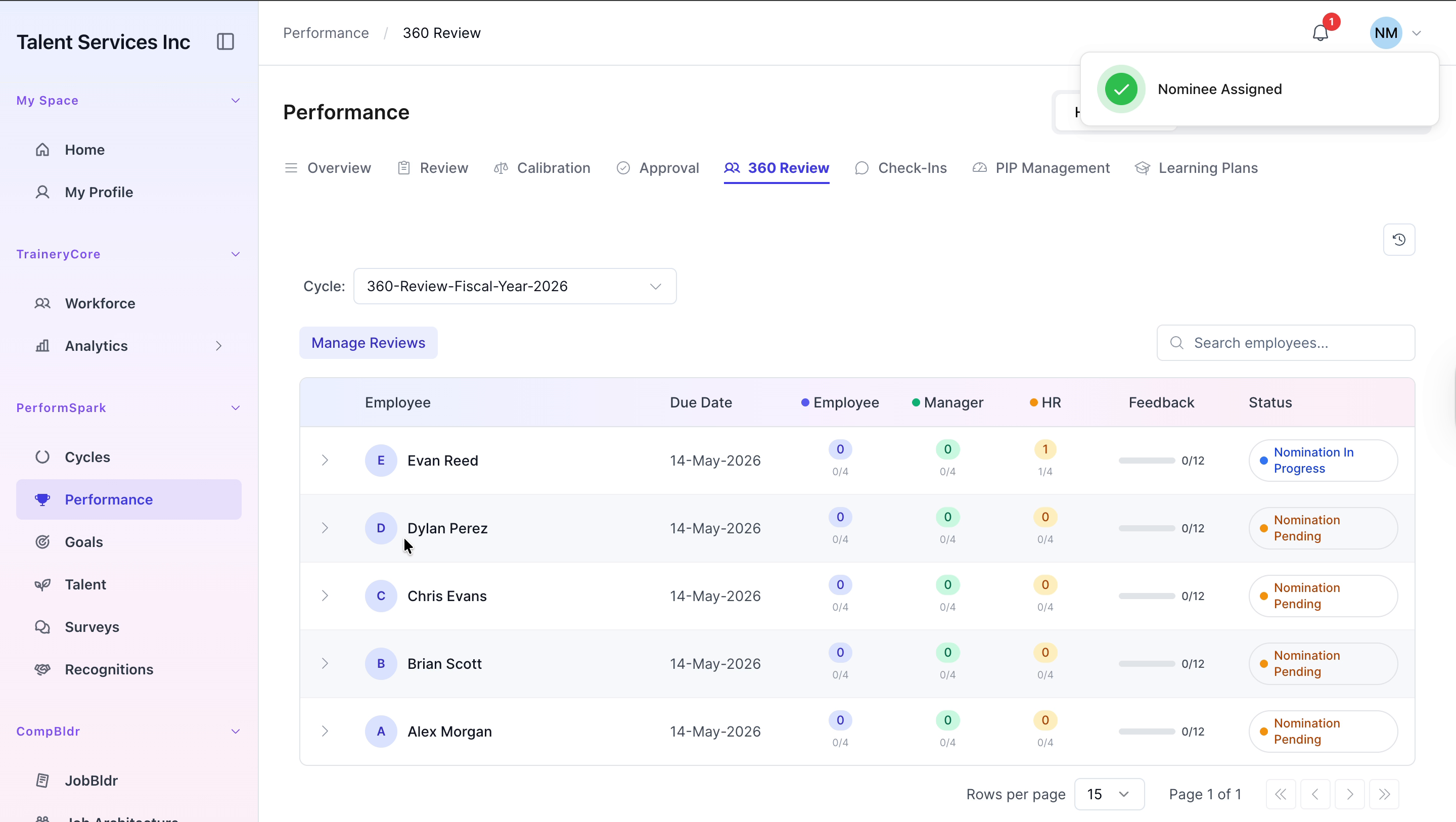
In the search field, type alex, select Alex Morgan from the search results, and then click Nominate to add Alex as an internal reviewer.

Step 3: Add an External Reviewer
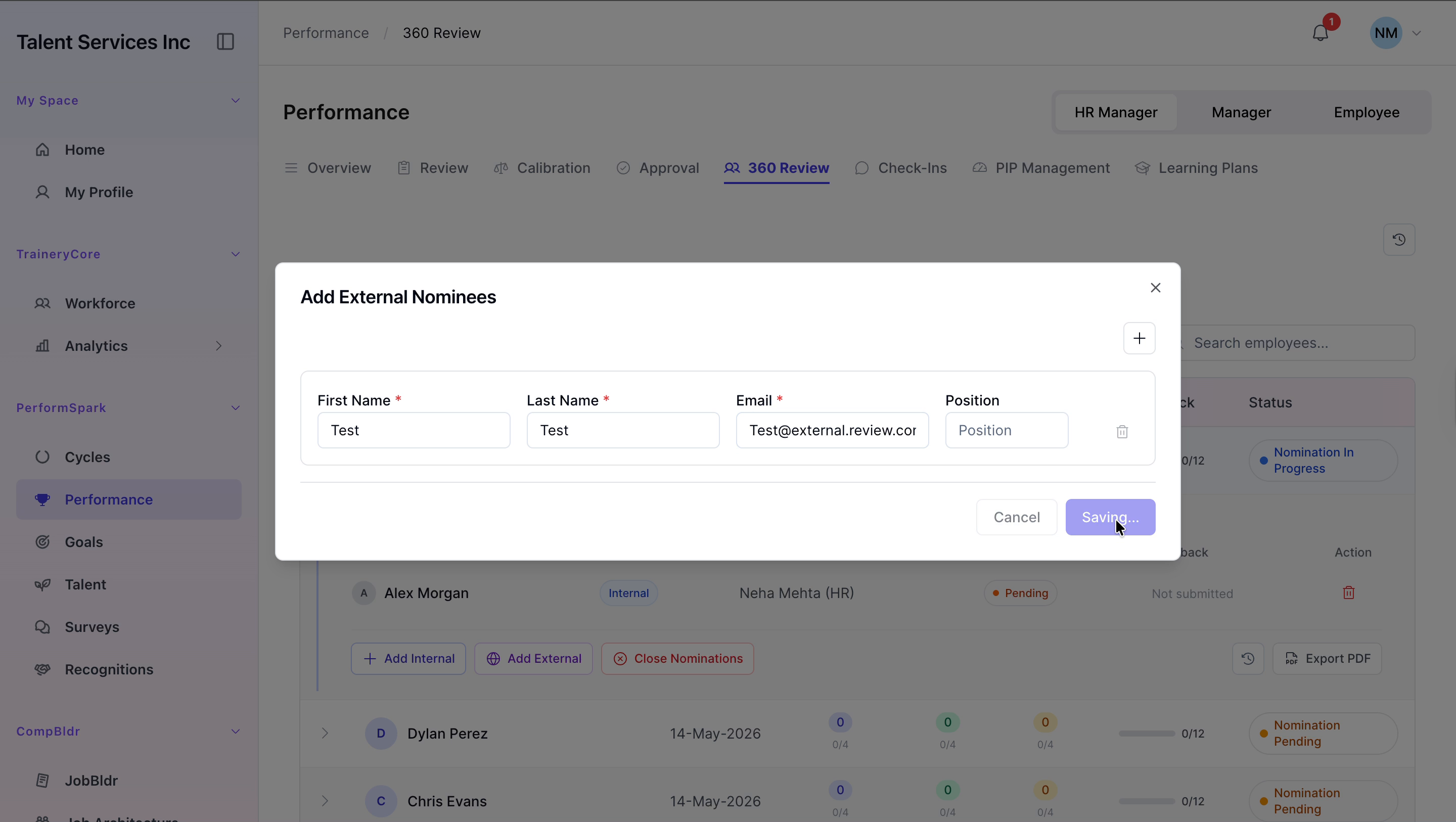
Expand Evan Reed’s row again and click Add External to open the external reviewer modal.
In the modal, enter Test as the first name and Test as the last name, type Test@external.review.com into the email field, and click Save to send the external review invitation.
Step 4: Verify Reviewer Nominations
Expand Evan Reed’s entry once more and confirm that both the internal reviewer (Alex Morgan) and the external reviewer (Test) are now listed under his 360 Review.