Updating and Managing Performance Check-ins
Last updated: July 1, 2026
Managing Performance Check-ins
Use this process to review, update, and save your performance check-ins, including discussion topics, agendas, and progress updates.
Step 1: Open the Check-ins List
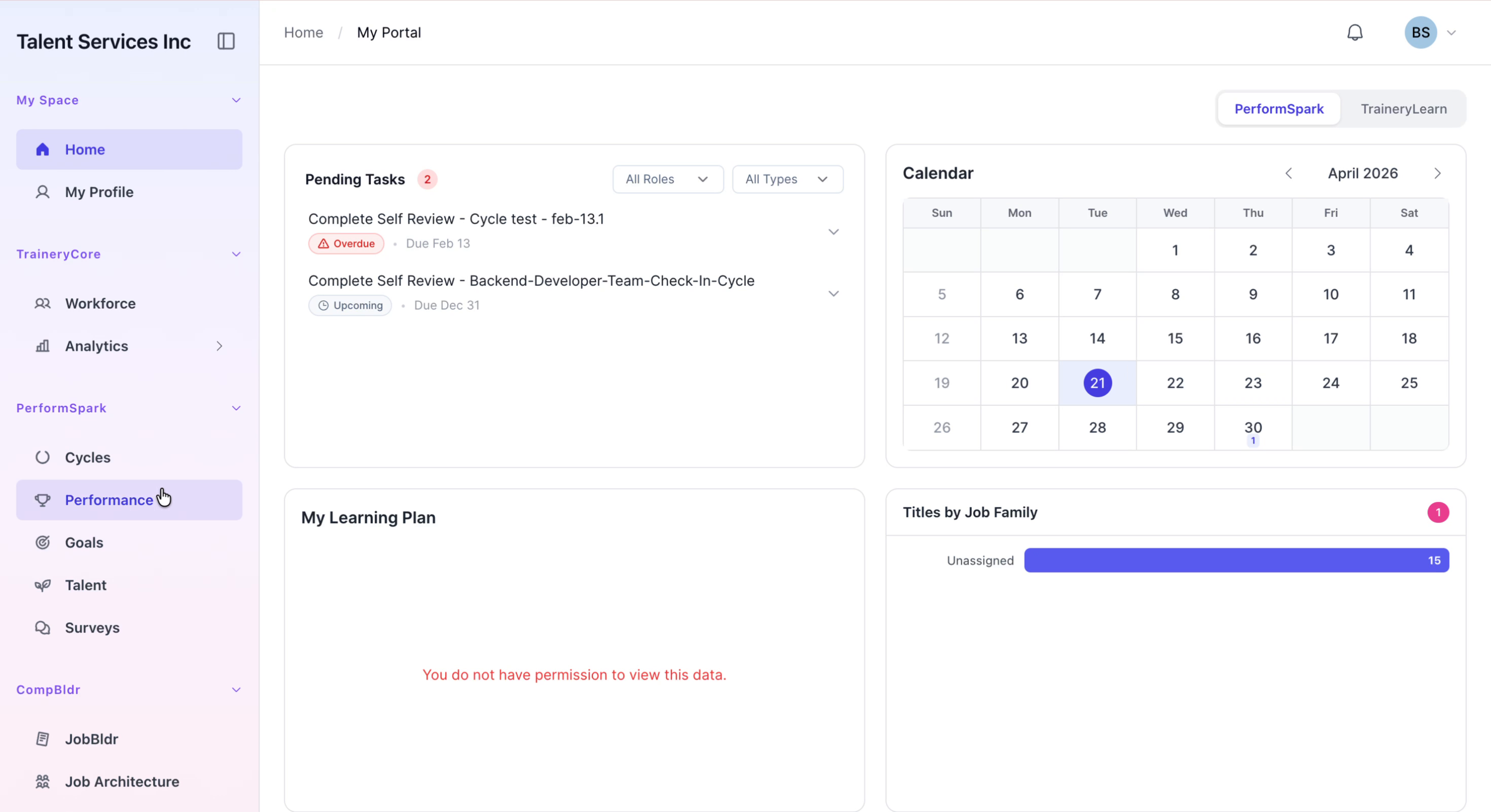
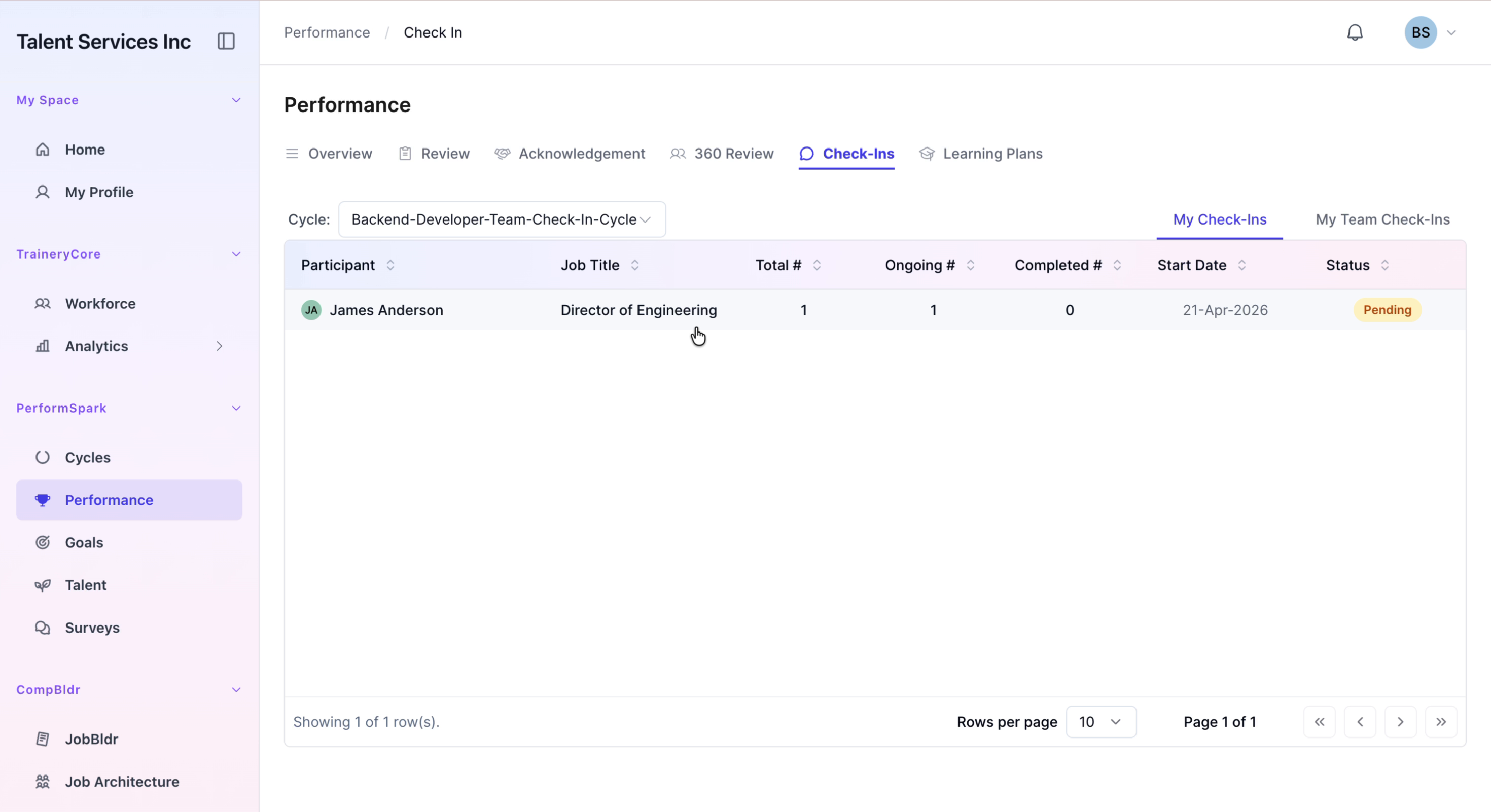
Navigate to the Performance section of your application, then select the Check-ins tab to view your current list of check-ins.
Step 2: Open a Specific Check-in
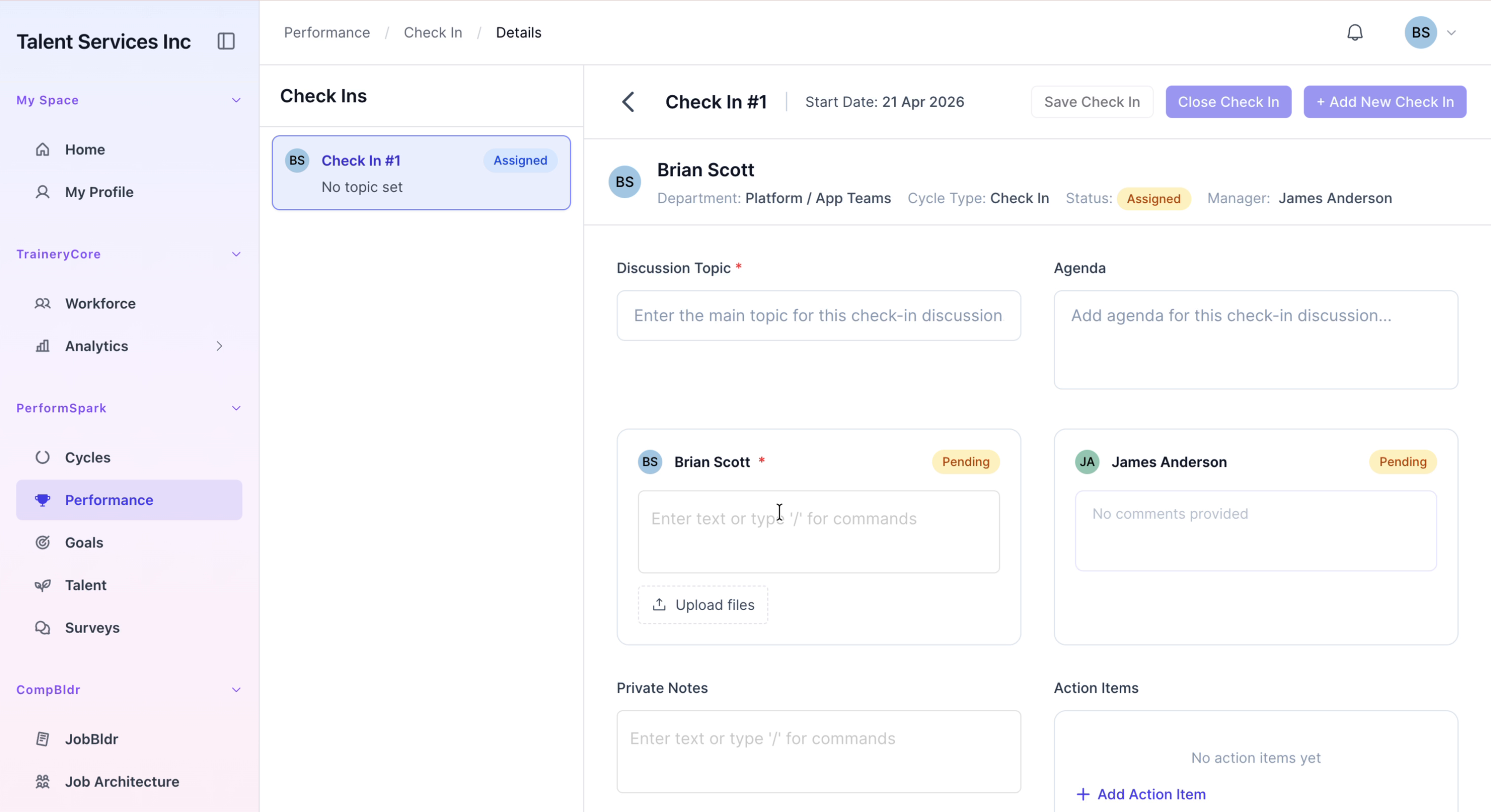
From the list, select the check-in you want to update to open its details. In the details view, enter the discussion topic and agenda for the meeting.
Step 3: Add Progress Updates and Save
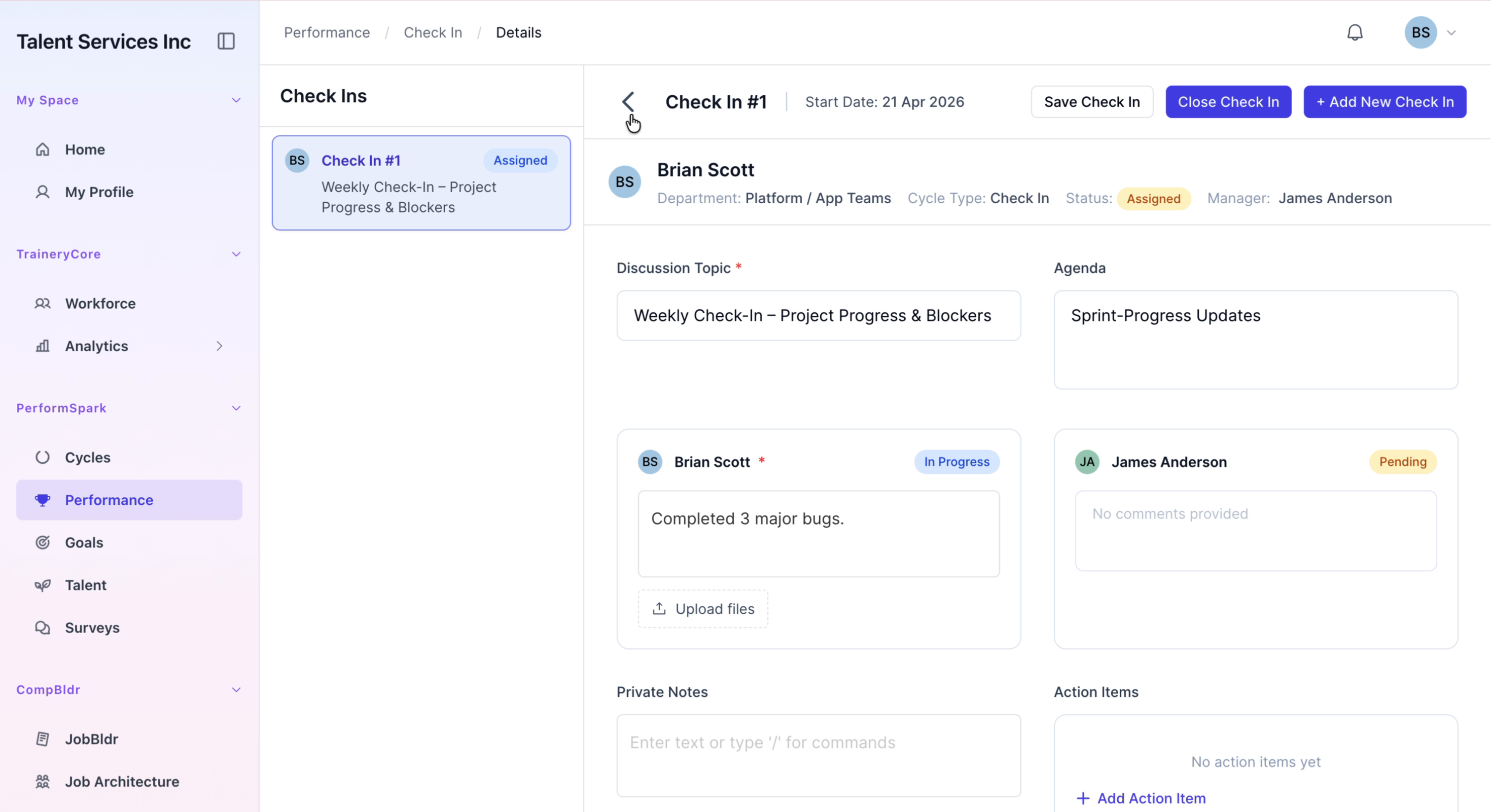
In the comments section, add your progress updates and review all entries for accuracy. When you are ready, click the Save Check In button to record your updates and wait for the success confirmation message.
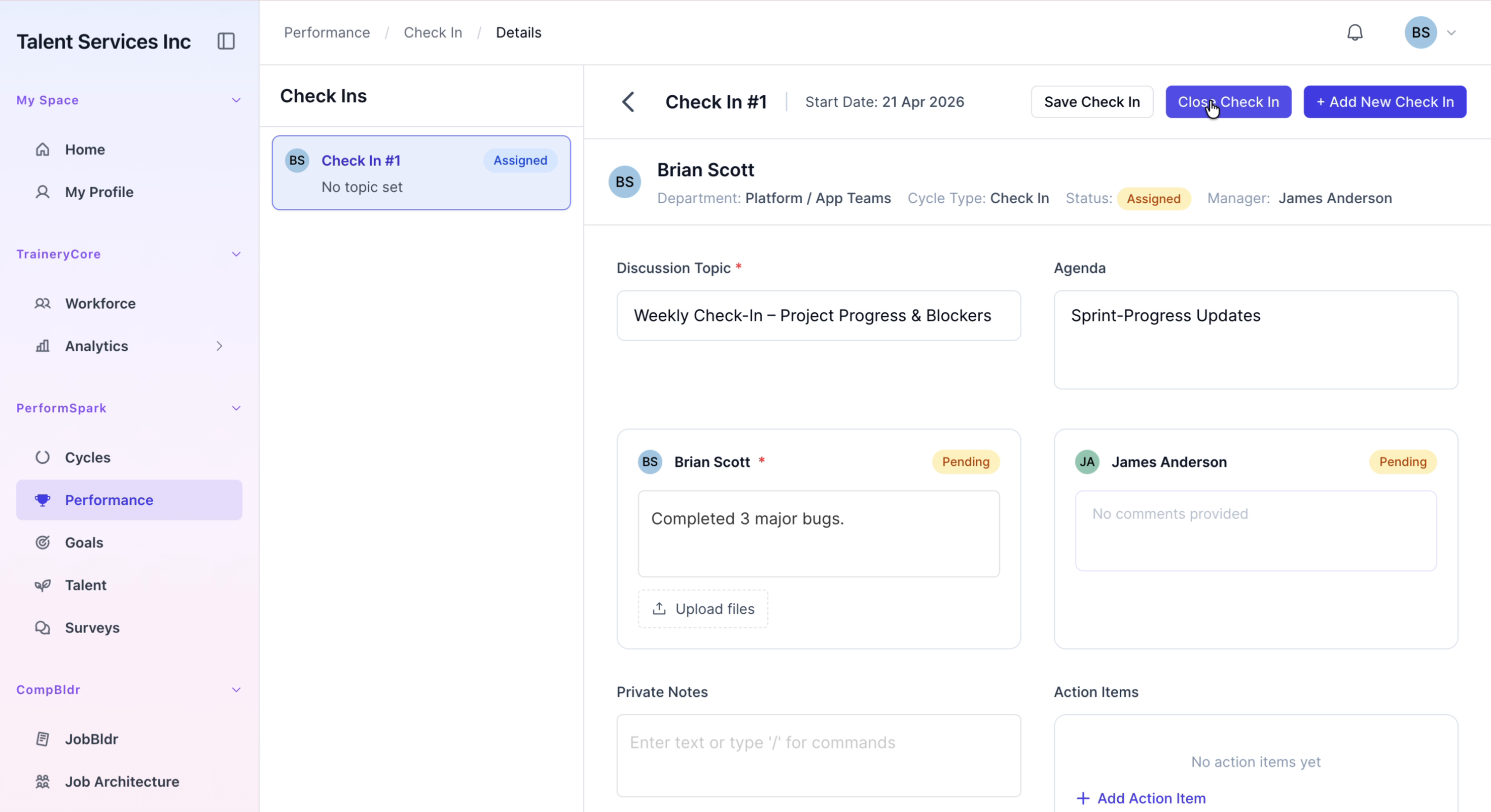
Step 4: Return to the Check-ins Overview
After the check-in has been successfully saved, click the Back button to return to the main check-in overview page.