Assigning a Learner to the Course
Last updated: August 26, 2026
This guide walks you through assigning a learner to a course from the Course Catalog, including opening the Learners tab and confirming the assignment.
Step 1: Open the Course from the Catalog
Browse the Course Catalog and locate the course card. Click the View button on that card to open its details.

Step 2: Go to the Learners Tab and Start Assignment
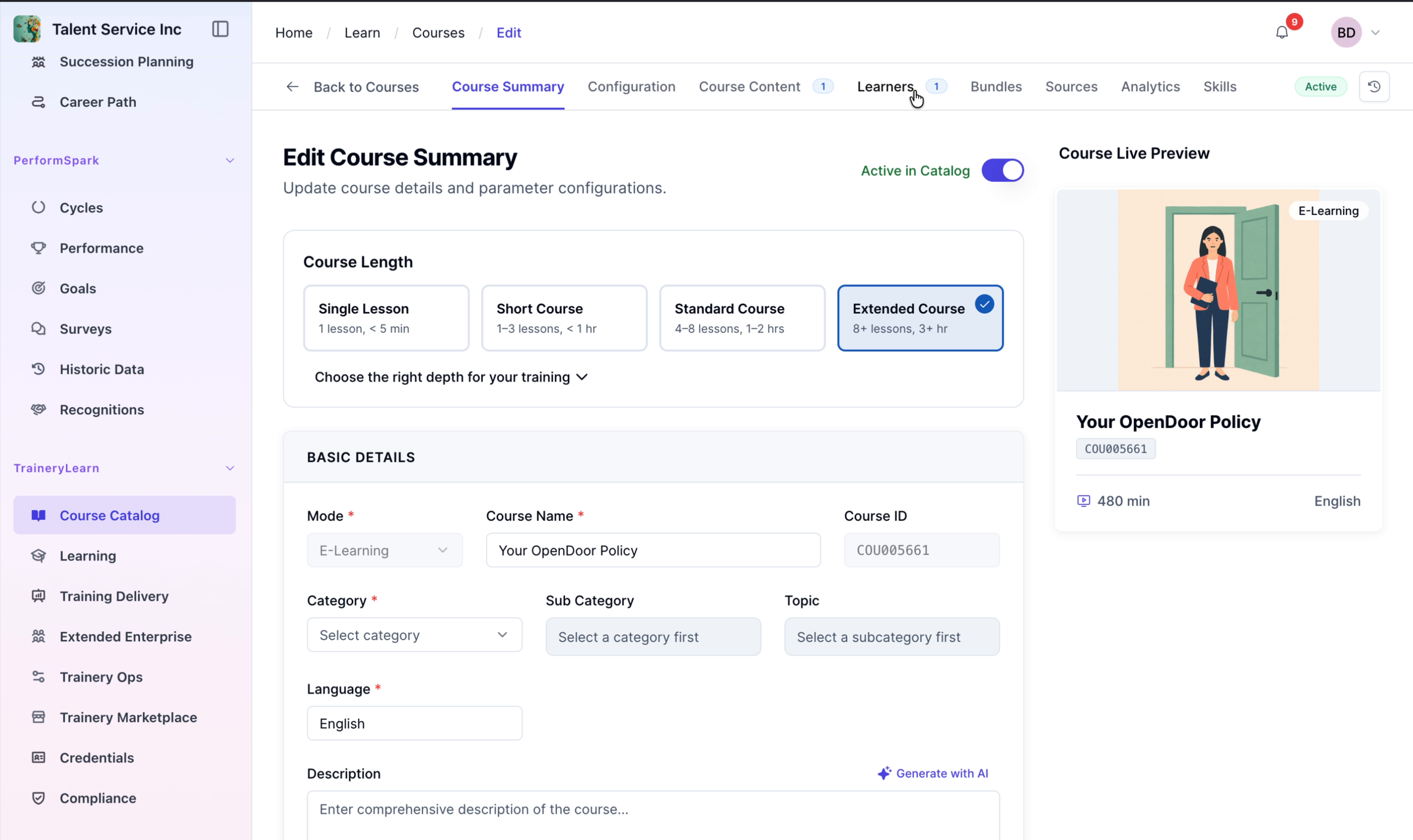
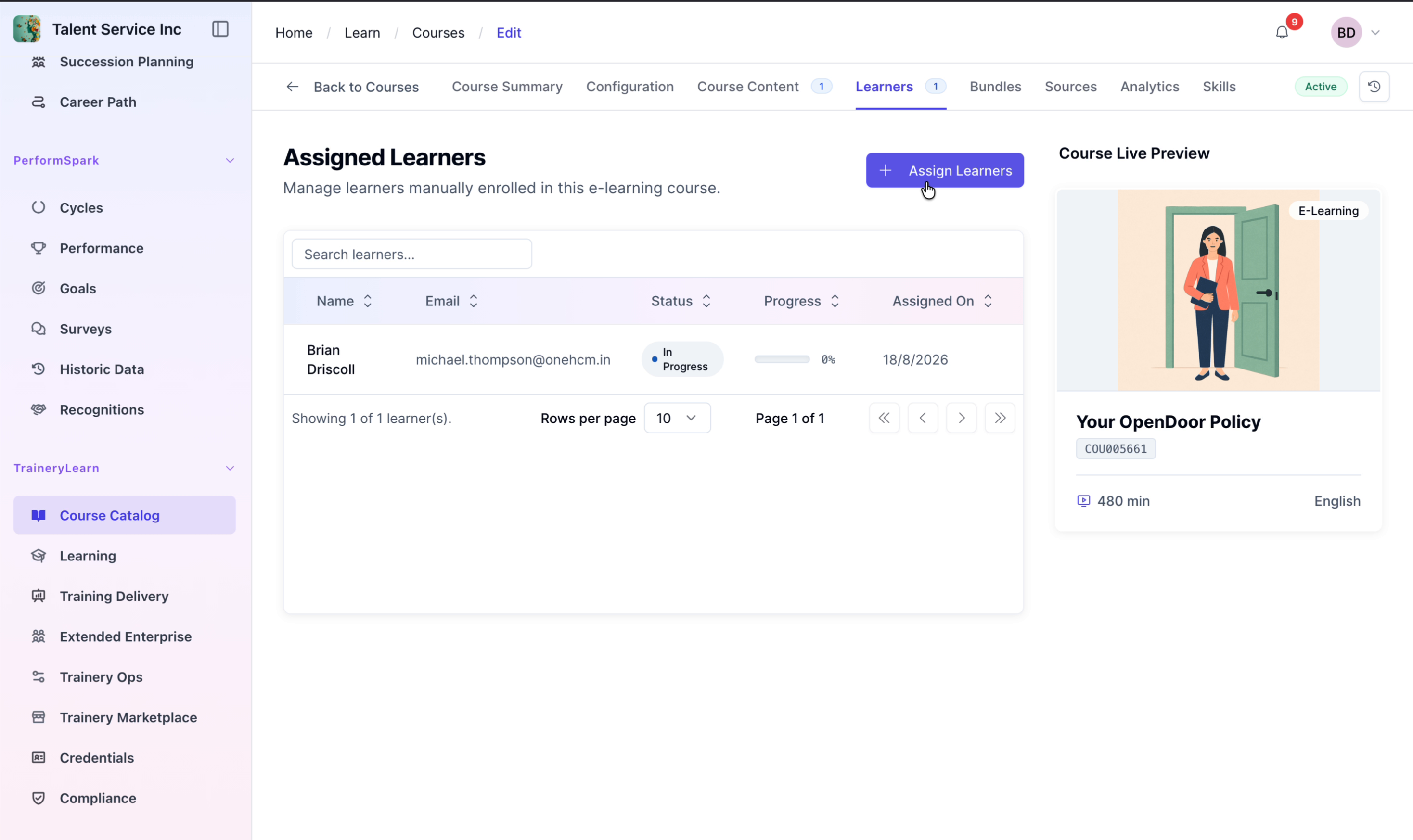
In the course view, navigate to the Learners tab and click the Assign Learners button to begin assigning users to the course.
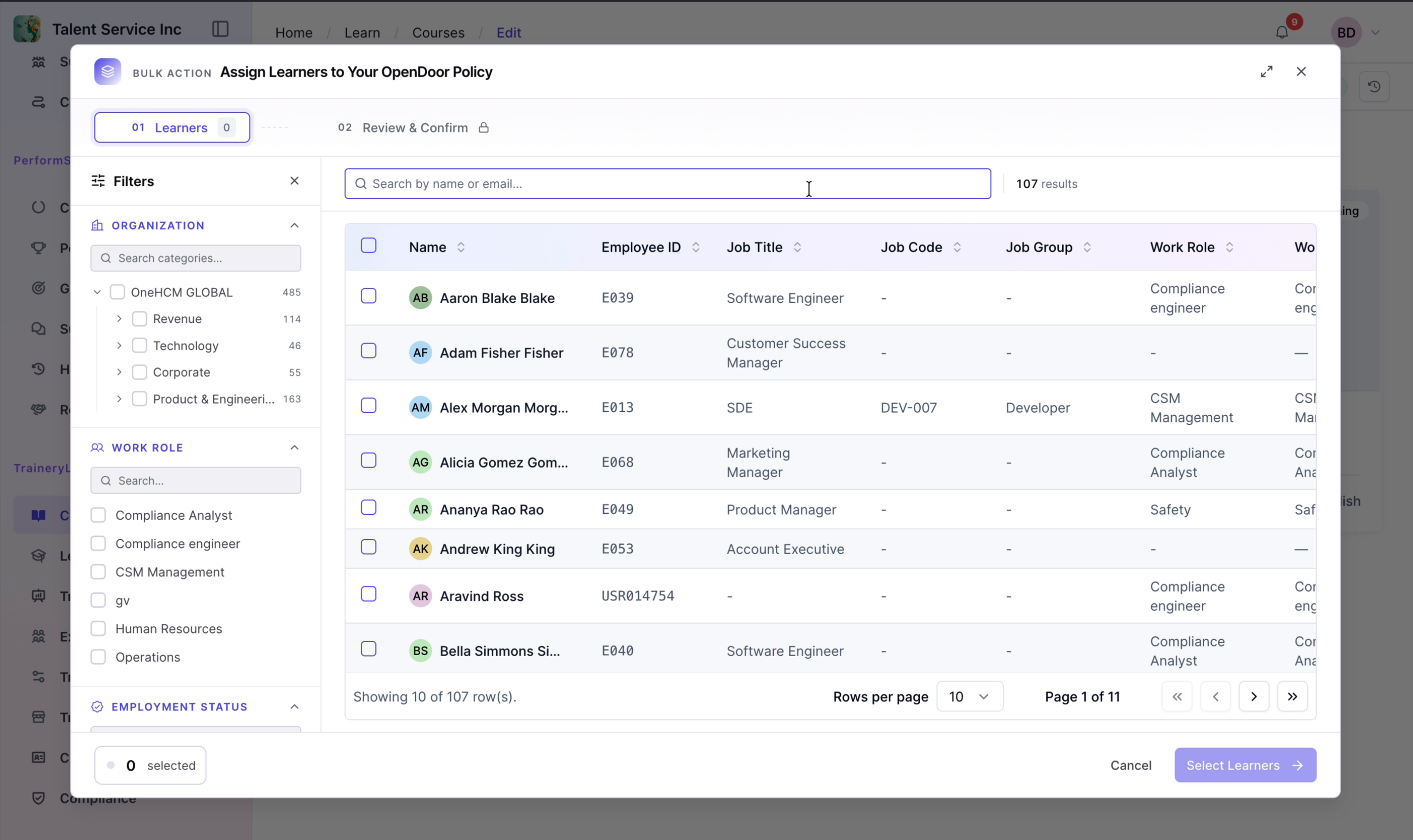
Step 3: Search for the Learner and Confirm
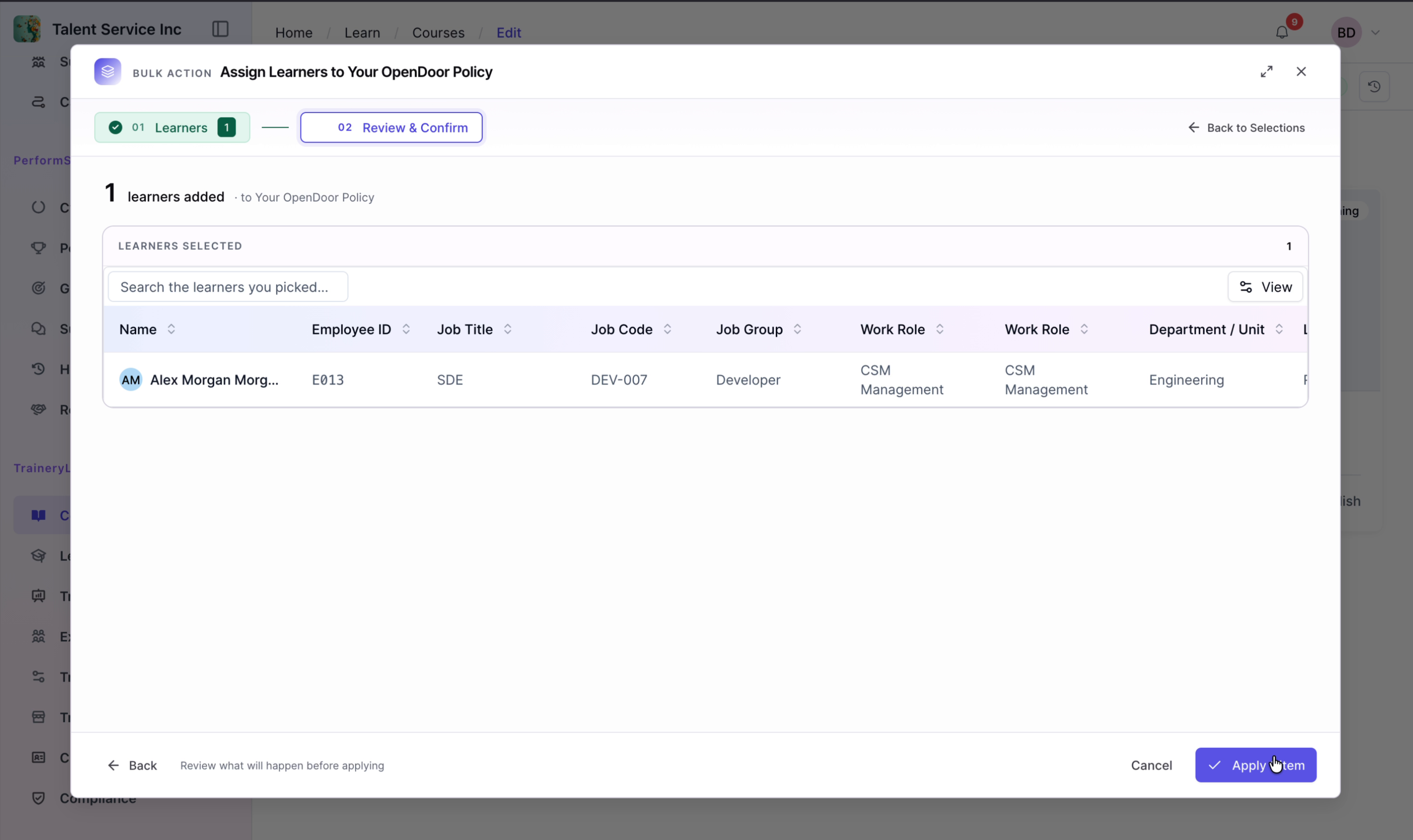
In the Assign Learners view, search for the learner and select them from the results. Click Review & Confirm, then click Apply to complete the assignment.