Enrolling in a Course as a Learner
Last updated: August 26, 2026
This guide explains how to enroll in a course from the course catalog, submit your enrollment request, and confirm that it was submitted.
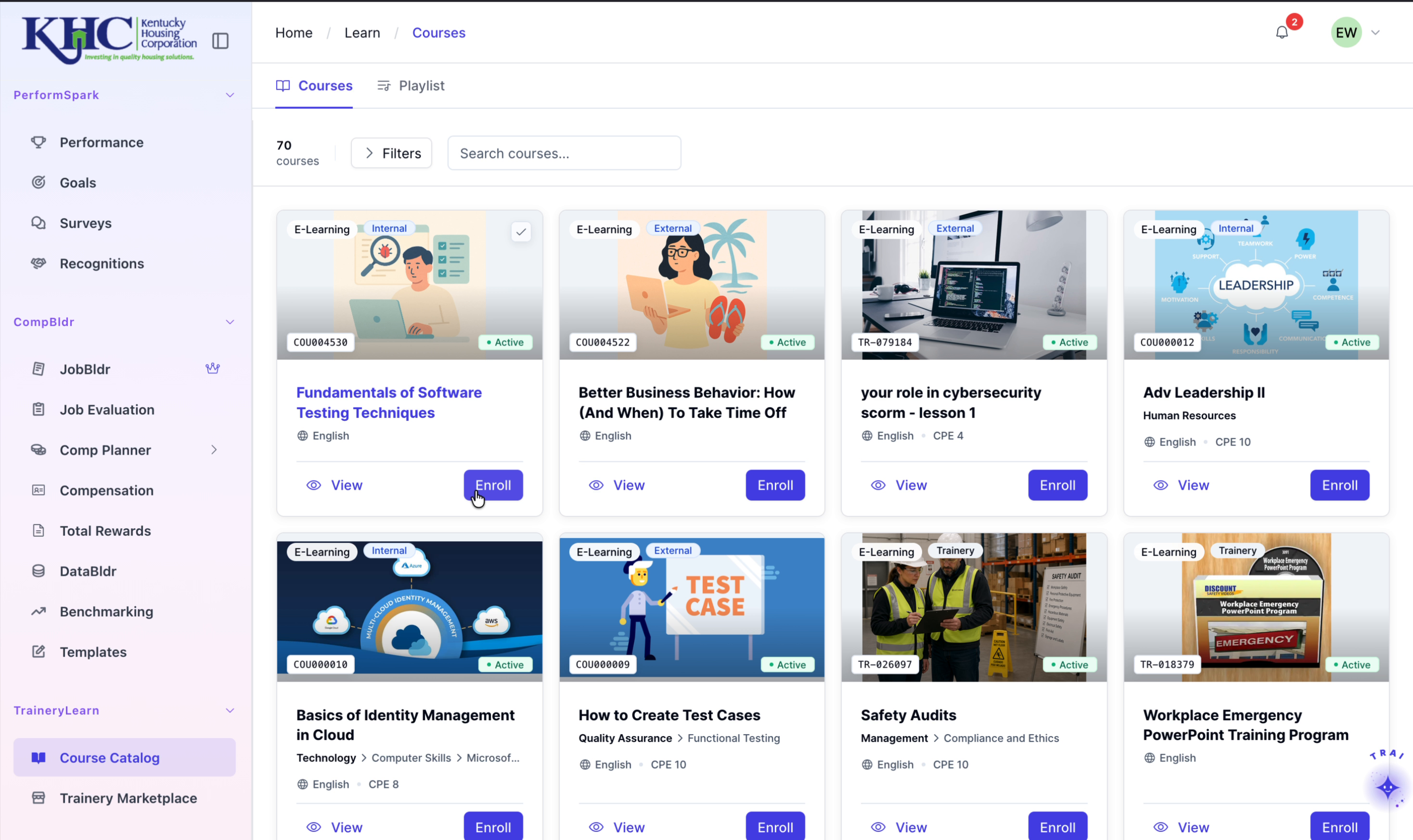
Step 1: Open the Course and Start Enrollment
Browse the course catalog, locate the course you want, and click the Enroll button to begin the enrollment process.
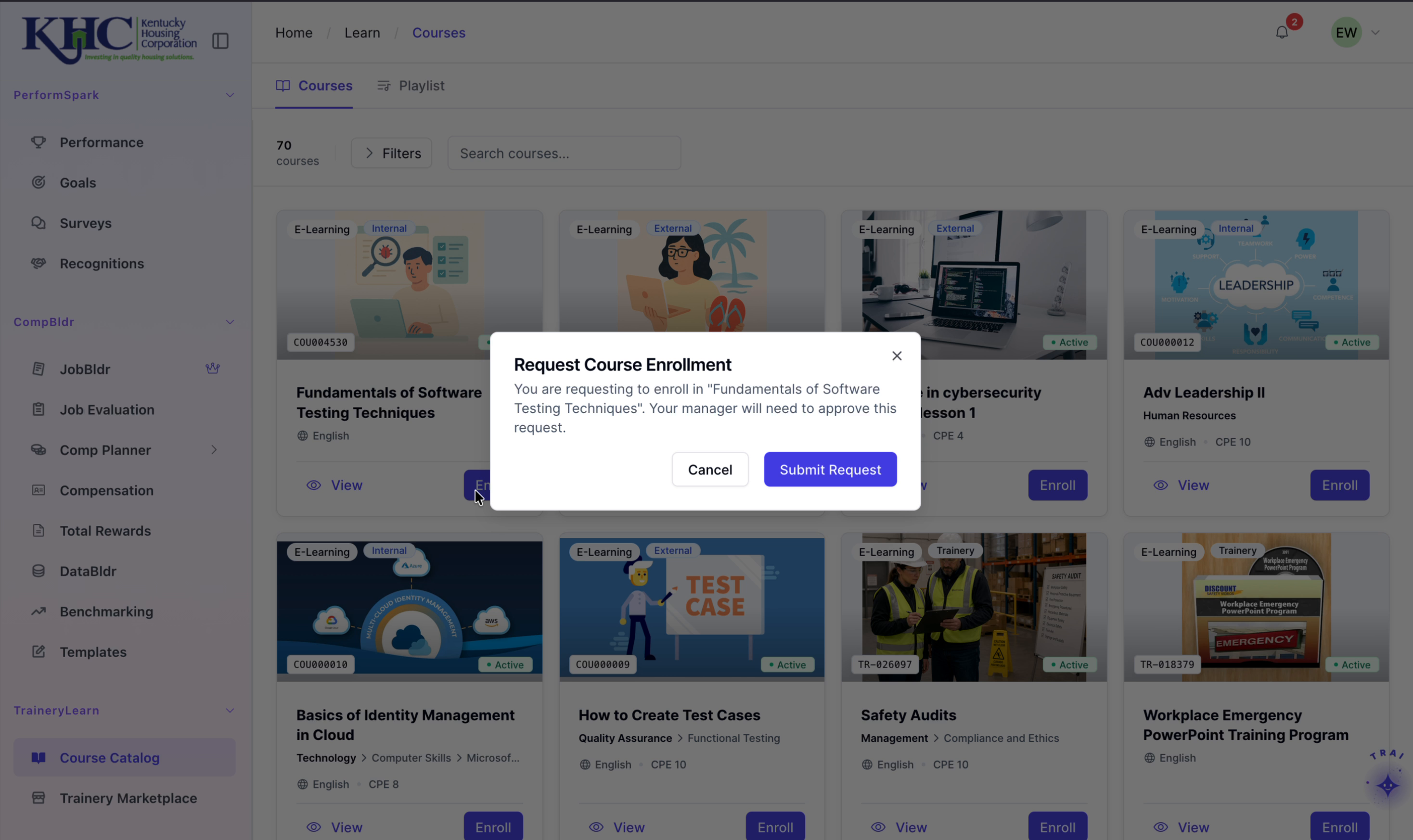
Step 2: Submit the Enrollment Request
In the enrollment request modal that appears, review the course details and any required information, then click Submit Request to send your enrollment request.
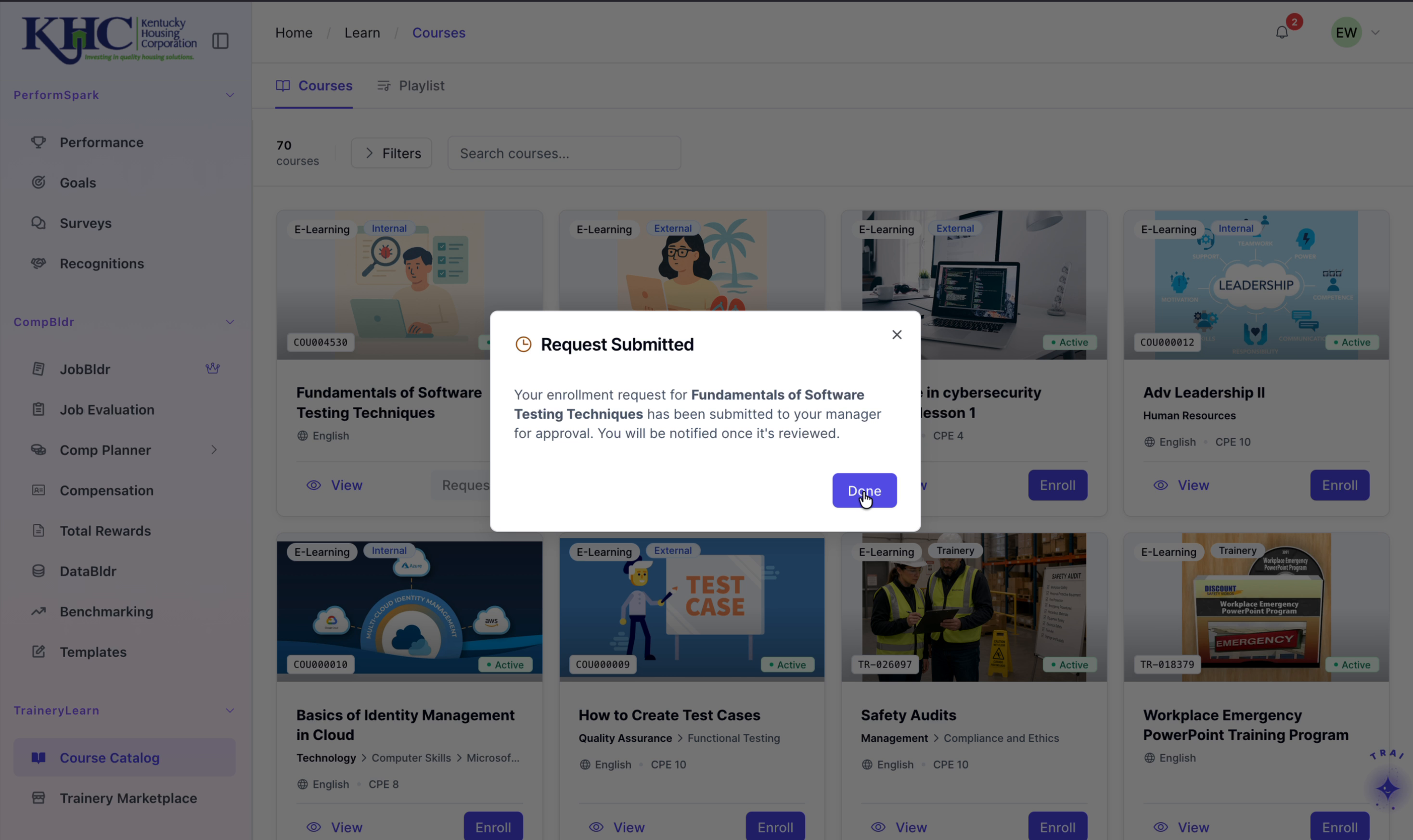
Step 3: Confirm Submission
When the confirmation message appears indicating that your request was submitted successfully, click Done to close the modal and complete the process.